


The Best International
IPTV
Service Provider

How it Works?

Windows / Mac Installation Guide

Step 1: For Windows: Download Windows App and install the application IPTV Smarters Pro.

For Mac: Download Mac App and install the application IPTV Smarters Pro.

Step 2: Login to the application with your subscription details (Get details from your service provider).

When you run the IPTV Smarters app for the first time, Terms of Use will be the first window. Scroll down and click Accept.
Setup via Xtream Codes API (Recommended)
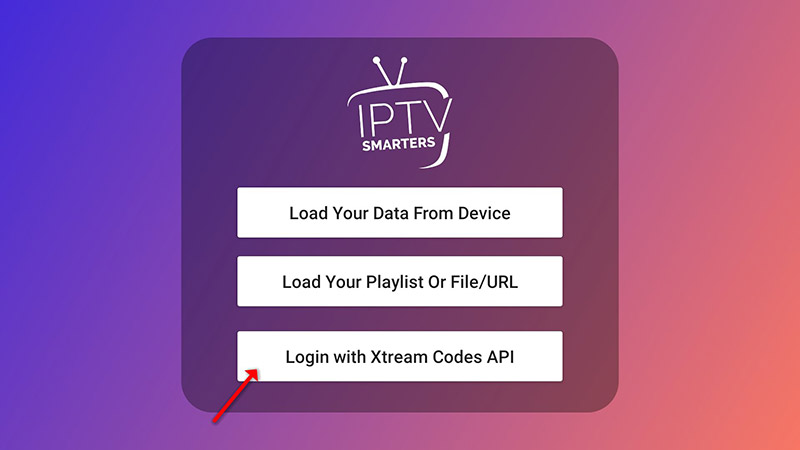
  1. Open the app once downloaded and click on “Add user” then click on “Login with Xtream Codes API”. Setup Step 1
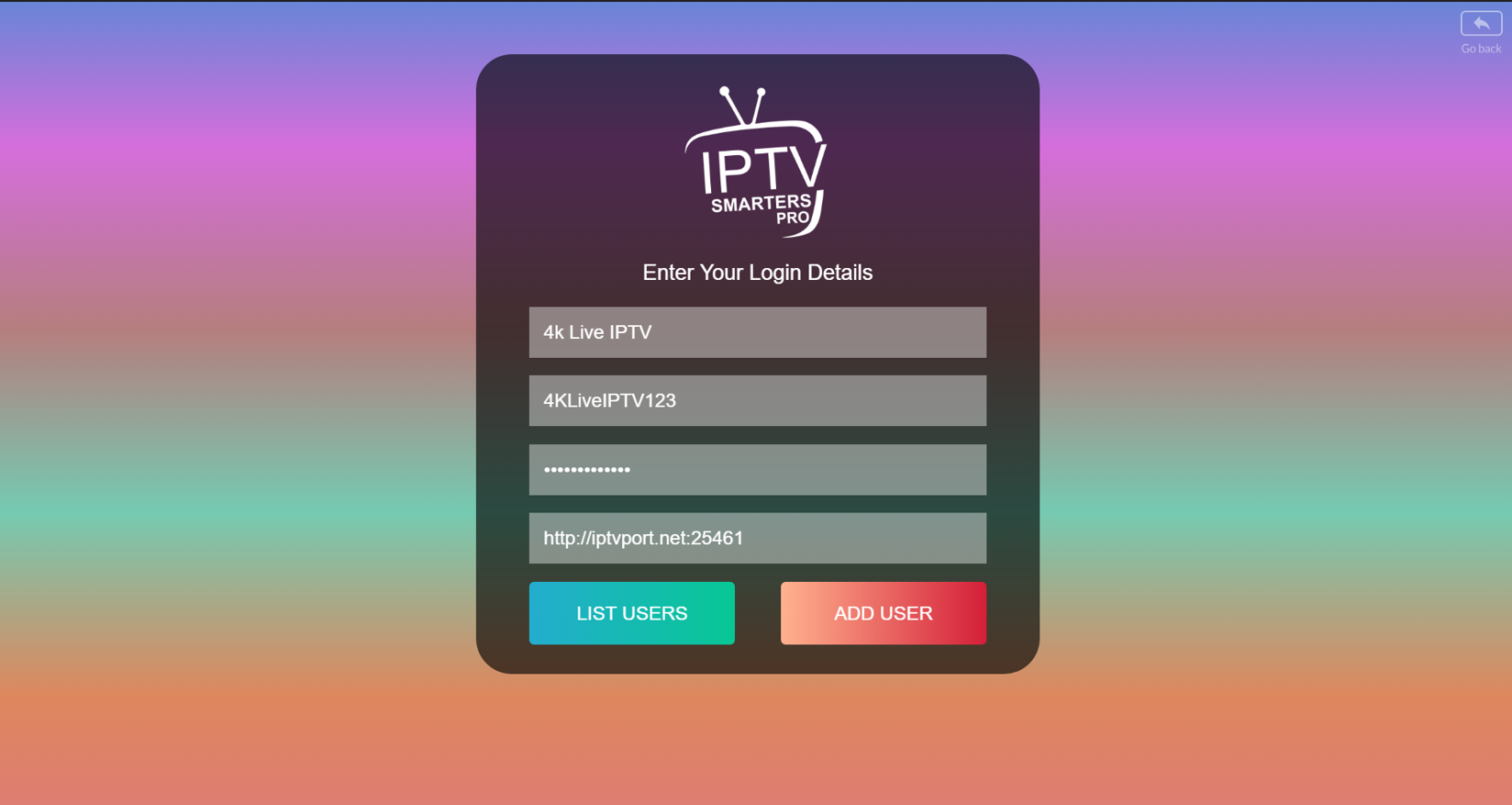
  2. Select any name you want (e.g., “4K Live IPTV”). Enter the Username, Password, and the Server URL sent to you via Whatsapp, Email, or Chat, then click “ADD USER”. Setup Step 2
  3. Wait a few seconds for the data to load. Setup Step 3
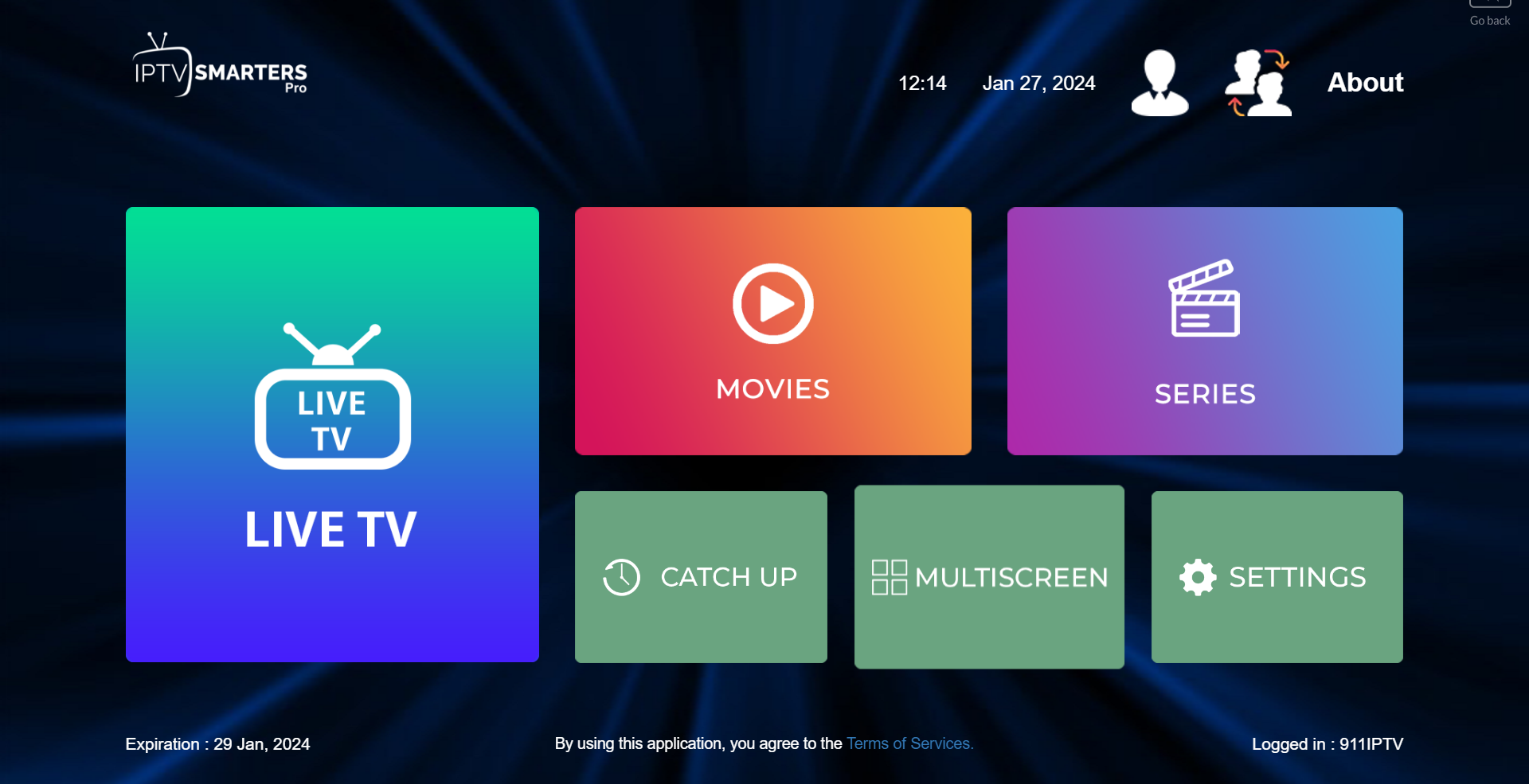
  4. Click on the “Live TV” icon. Setup Step 4
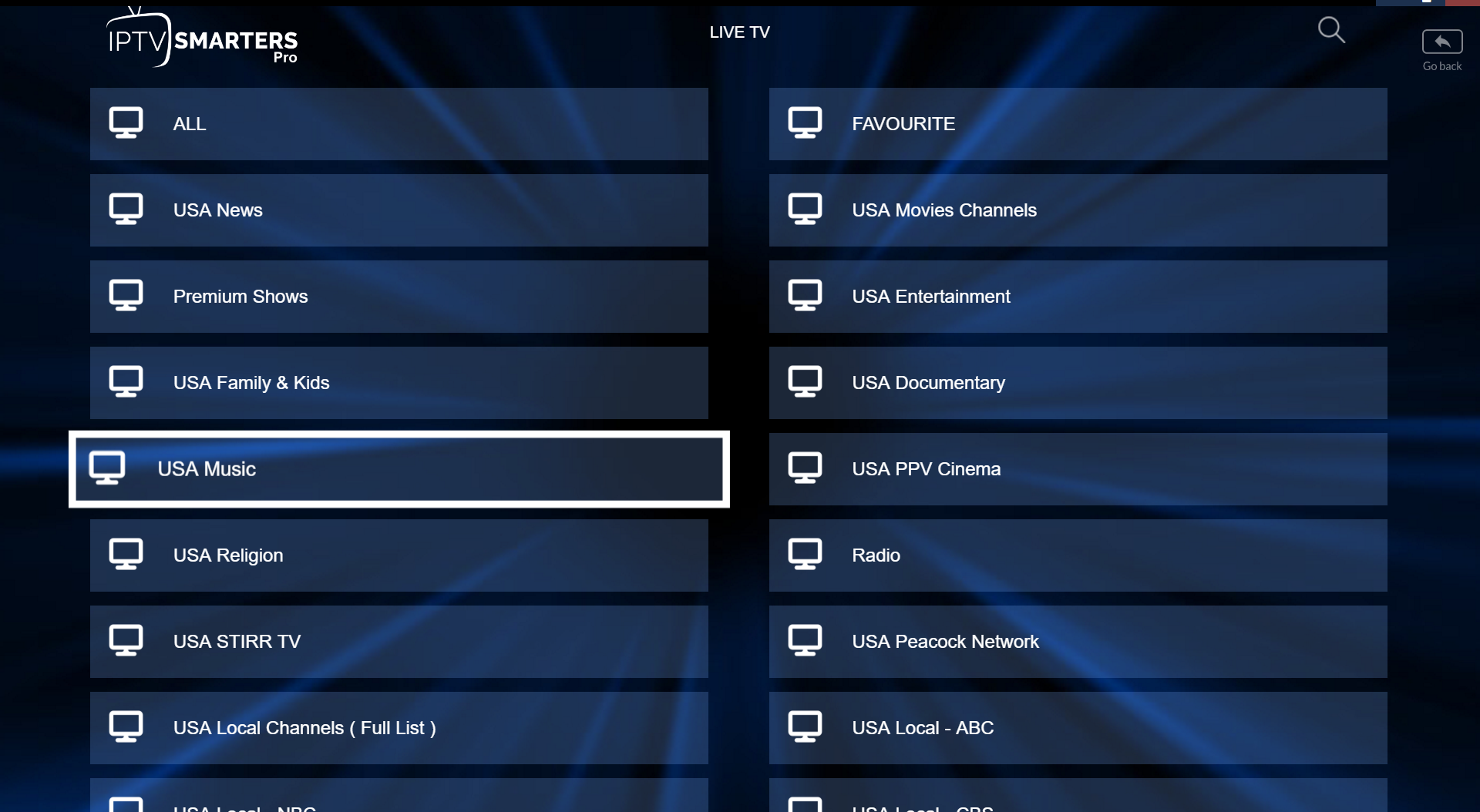
  5. Select the channel group that you want to watch. Setup Step 5
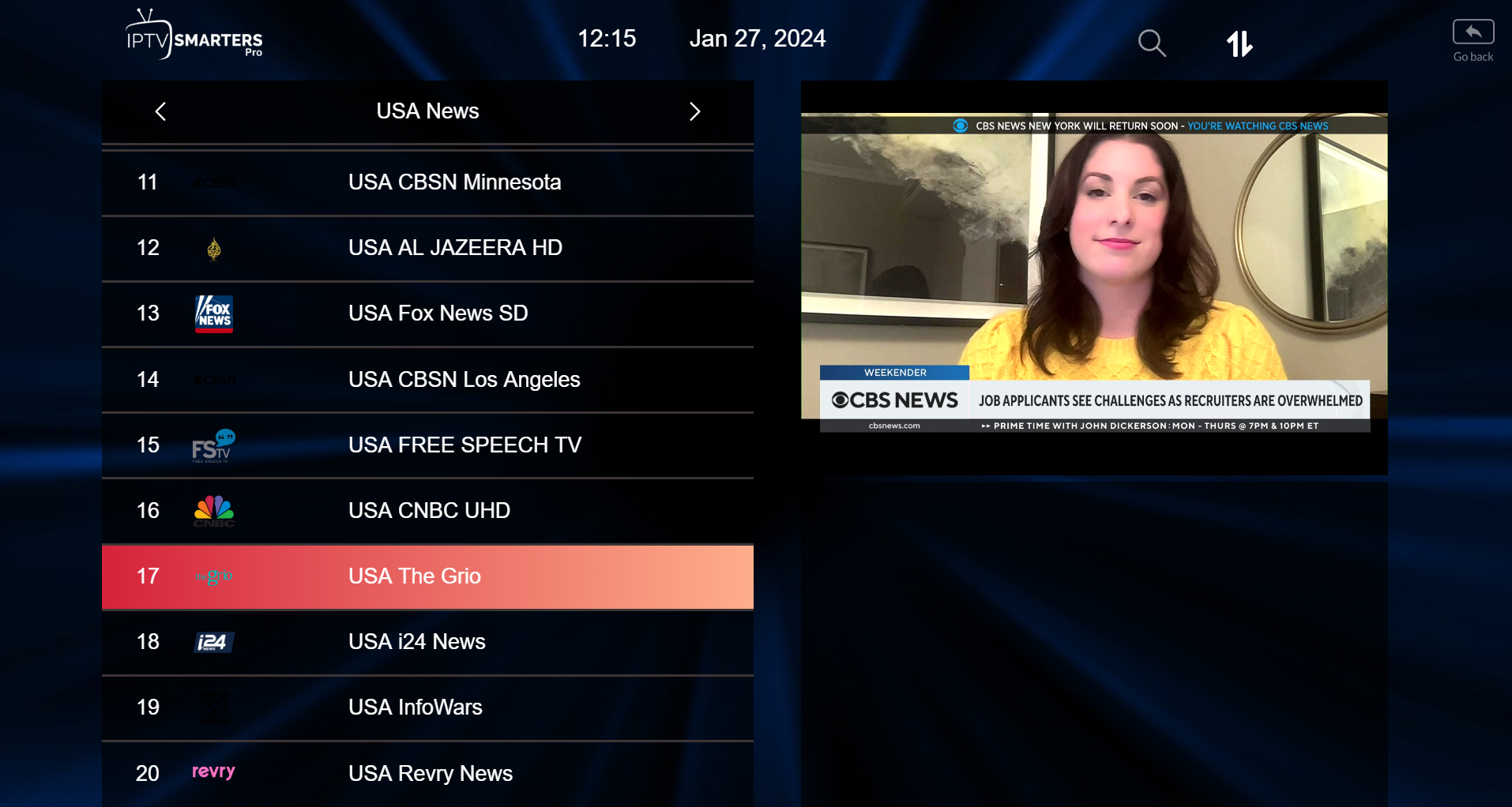
  6. Click on the channel name, then double-click the preview screen to enter full screen. Setup Step 6
Setup via M3U Playlist URL
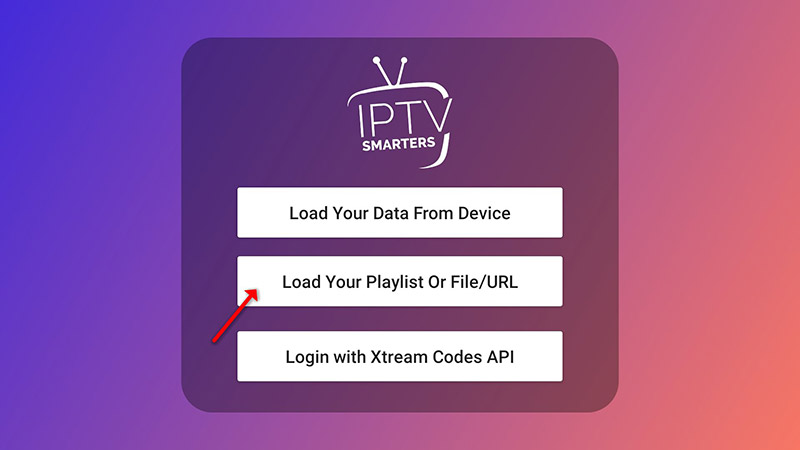
  1. Click on “Add user” then click on “Login with Playlist”. Playlist Step 1
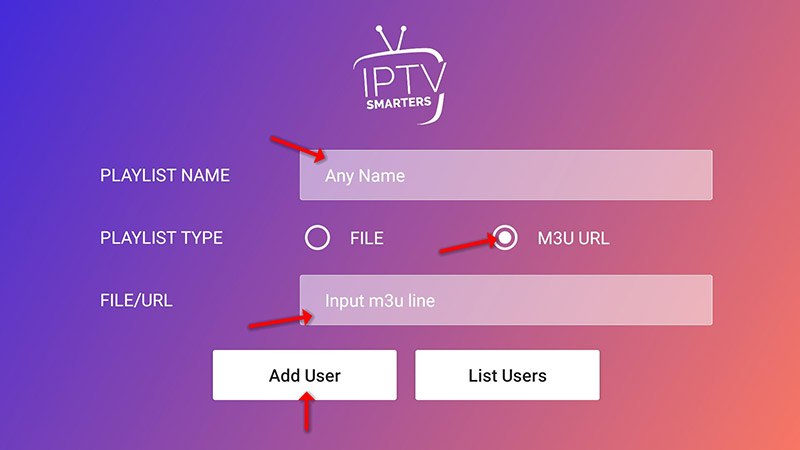
  2. Select any name you want, choose “M3U URL”, and enter the M3U URL provided to you. Playlist Step 2
  3. Click on the “Live TV” icon, select your channel group, and start streaming.

Amazon Fire TV Stick Installation Guide

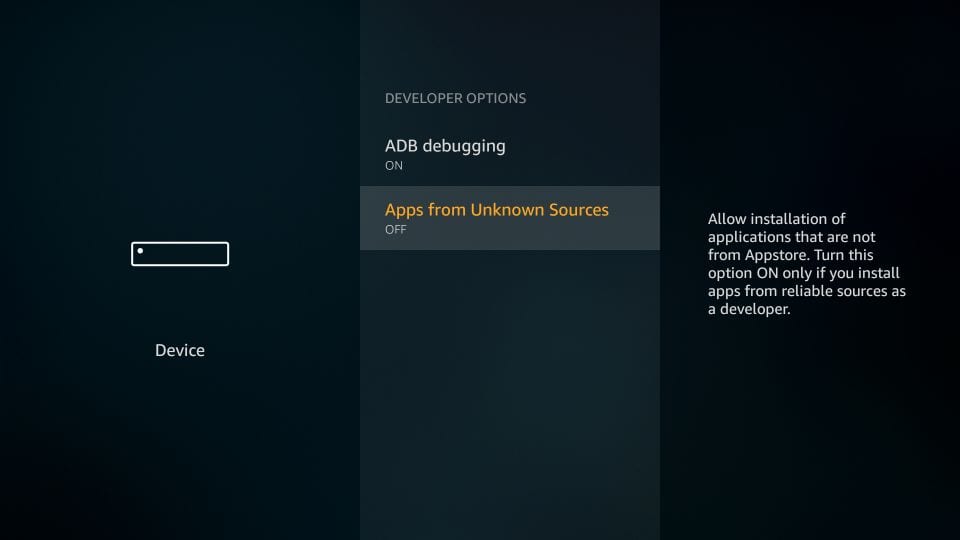
Amazon Store does not host IPTV Smarters, so it must be sideloaded. First, enable unknown sources:

  1. Go to Settings -> My Fire TV. My Fire TV
  2. Click Developer Options and turn Apps from Unknown Sources to ON. Unknown Sources

Next, install the application:

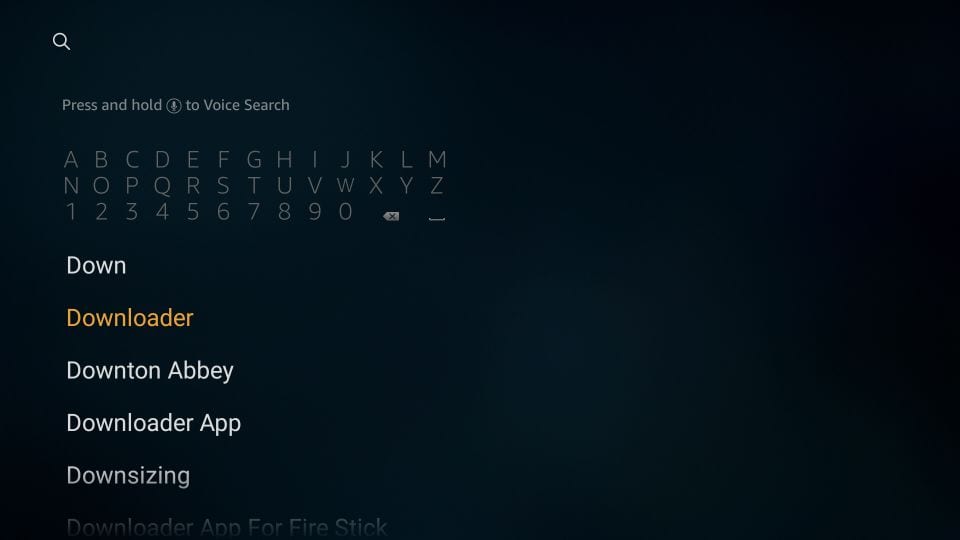
  1. Search for the Downloader app on your FireStick home screen, download, and open it. Downloader App
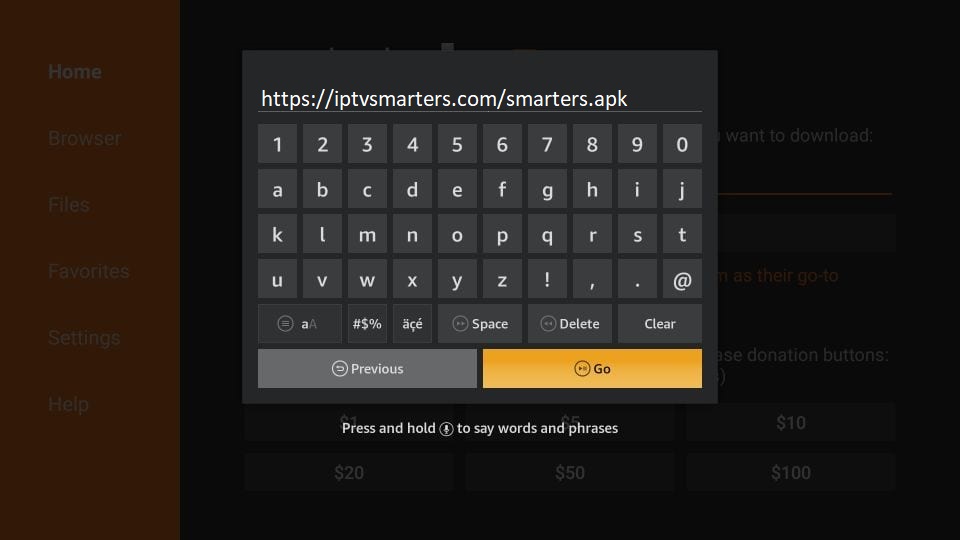
  2. Click the URL text box and type exactly: https://iptvsmarters.com/smarters.apk and click GO. Enter APK Path
  3. Once downloaded, click Install. Afterward, open the app, accept the Terms of Use, and log in using the Xtream Codes API method detailed in the Windows/Mac guide.

Samsung & LG Smart TV Installation Guide

For Samsung Smart TV:

Step 1: Press the Smart Hub button on your remote control.

Step 2: Search for Smarters Pro and install it.

Step 3: Log in using your subscription details (Username, Password, Portal URL) via the Xtream Codes method.

For LG Smart TV:

Step 1: Press the Home button on the remote and open the LG Content Store.

Step 2: Search for Smarters Pro and install it.

Step 3: Log in with your Username, Password, and Portal URL.

Setup Context Visuals via Xtream Codes API
  1. Open the app once downloaded and click on “Add user” then click on “Login with Xtream Codes API”. Setup Step 1
  2. Select any name you want (e.g., “4K Live IPTV”). Enter your subscription credentials and click “ADD USER”. Setup Step 2

Formuler Box / Device Installation Guide

Formuler devices feature the optimized MYTV Online 2 application for fluid 4K Ultra HD streaming. You can configure it easily using your MAC Address:
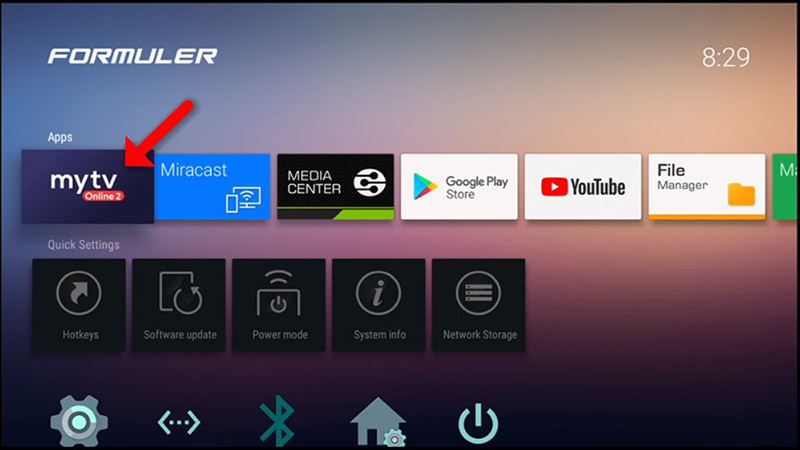
  1. Open the “MYTV Online 2” application. If missing, fetch it directly from the Google Play Store. MYTV Online 2
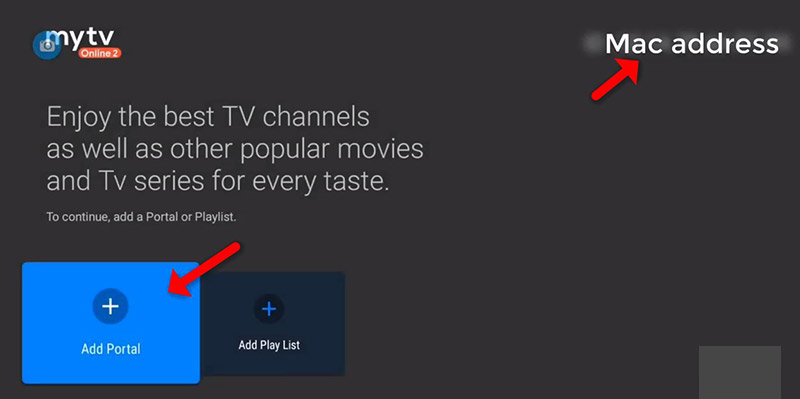
  2. Locate your unique device MAC Address in the top right corner of the screen. Provide this specific code to your service provider to activate your subscription. Click on “Add Portal”. Add Portal
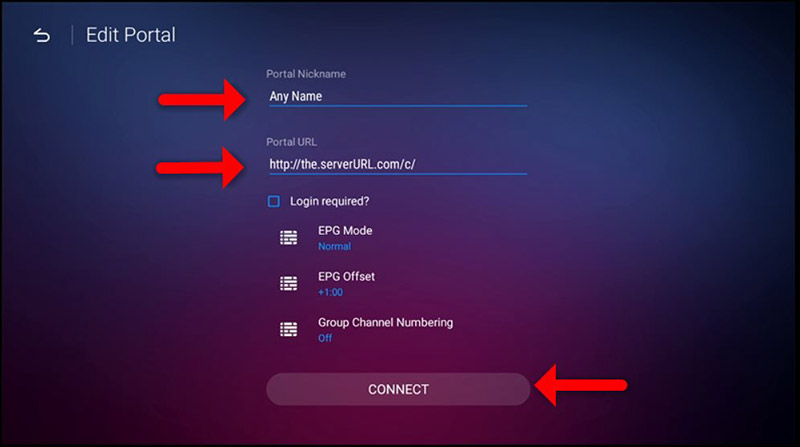
  3. Enter a Portal Nickname (e.g., “MYIPTV”), input the unique Portal URL received from your provider, and hit “CONNECT”. Connect Portal

Android & iOS Devices Installation Guide

Step 1: For Android, download the setup file directly from this official download path. For iOS devices, download the verified application via the Apple App Store Link.

Step 2: Fire up the application on your mobile screen and log in using either the direct Xtream Codes API credentials or your M3U Playlist URL details.

Setup via Xtream Codes API
  1. Open the app once downloaded and click on “Add user” then click on “Login with Xtream Codes API”. Setup Step 1
  2. Input your Username, Password, and the Server URL and click “ADD USER” to proceed. Setup Step 2

Our NExT MEDIA UK service promises a fresh, immersive experience, delivering a seamless blend of quality, variety, and innovation

Contact Us

nextmediauk1@gmail.com

+44-7859289583

Our Goals

Our Goal Providing You with the Best Service, Ensuring an Unmatched Viewing Experience.